Wanting to send out a video campaign or email from vidreach to a list of contacts? Here's how:
First option: Sending via Import (Use this option if you do not want these contacts stored in vidreach for future sends)
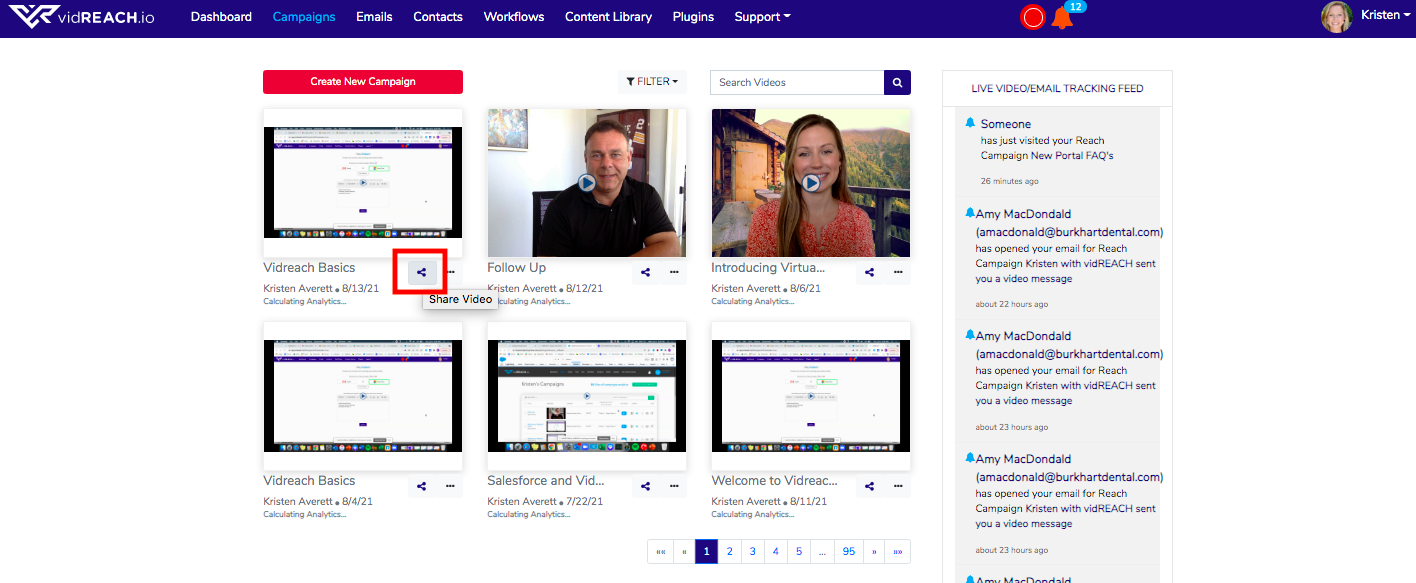
- Once your campaign or email is created, go to the sharing option under your campaign
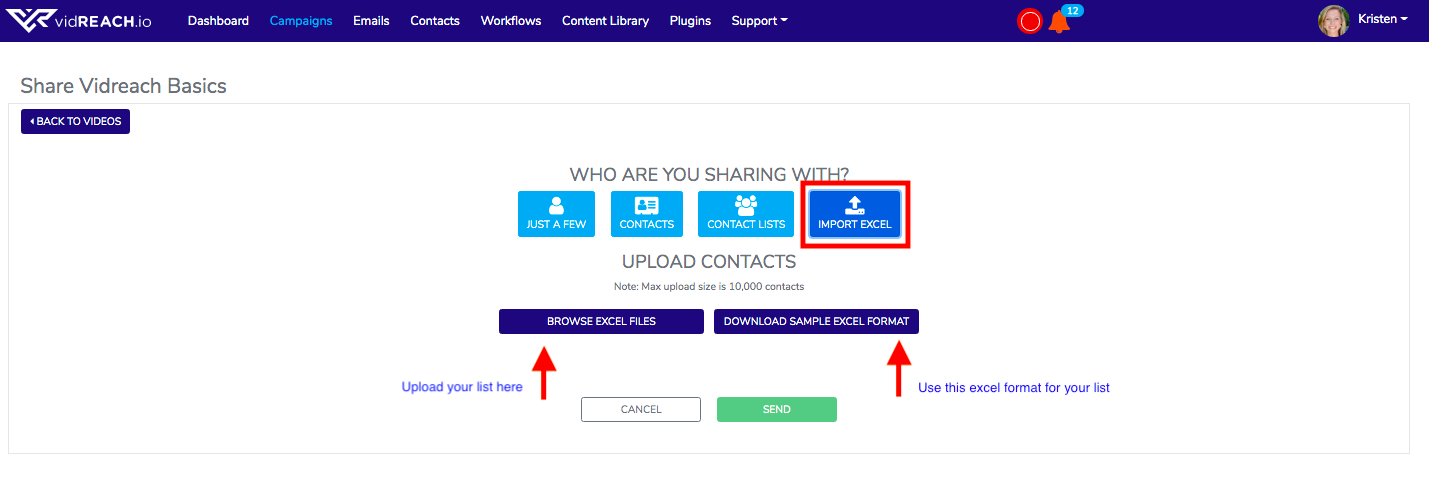
- Select Import
- Use our Sample Excel Format to make sure you have the correct formatting for your excel list - make sure to not change anything on this header format. You will need first names, last names, emails and company names for each contact
- Select Browse and upload your excel file with your contacts
- Send!
Second option: Sending via Contacts or Contact Lists (Use this option if you want to keep these contacts stored in vidreach for future sends)
- In the Contacts tab in your menu bar, import your contacts(you can add these to a contact list to group these as well)
- Go to your campaigns and select the sharing option under your campaign you want to send
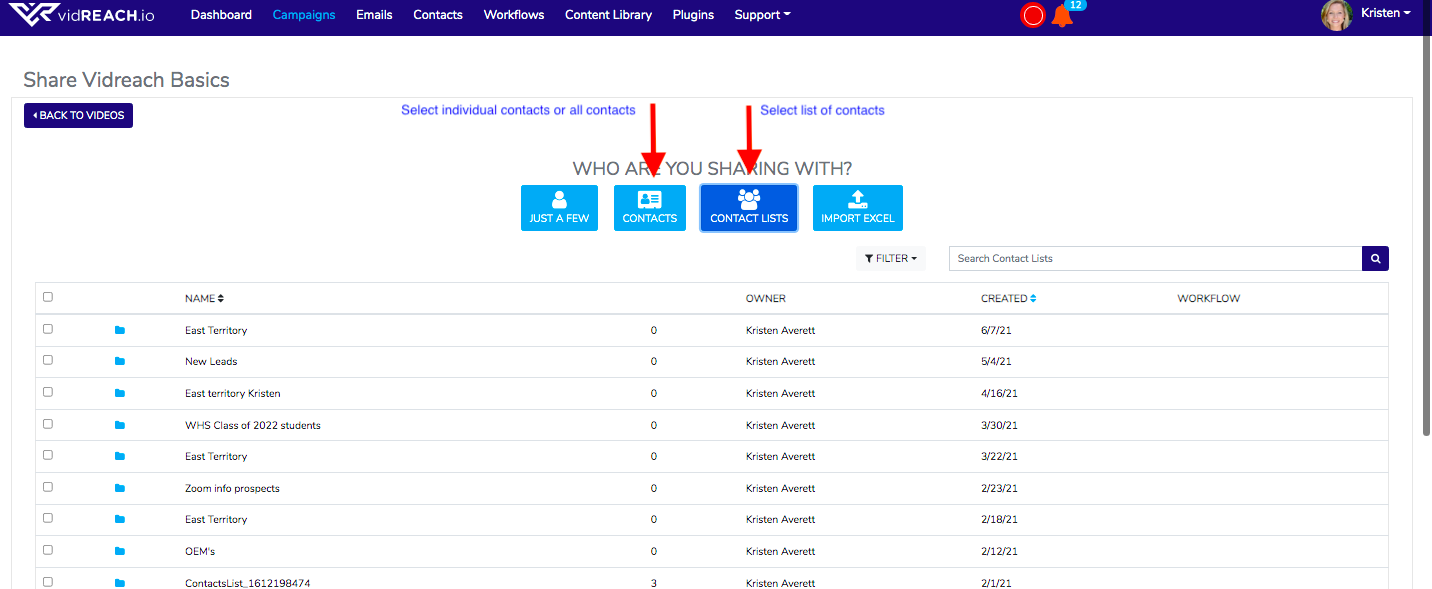
- Select either Contacts or Contact Lists depending on what group you want to send to
- Send!