There are three main reasons your contacts will not import into vidreach:
- You already have that contact uploaded into vidreach Contacts - vidreach does not allow duplicate contacts in the platform. For this reason if you have contacts on this list that are already in vidreach they will not upload. Vidreach will send you an email for each contact that was not uploaded and the reason why it was not imported.
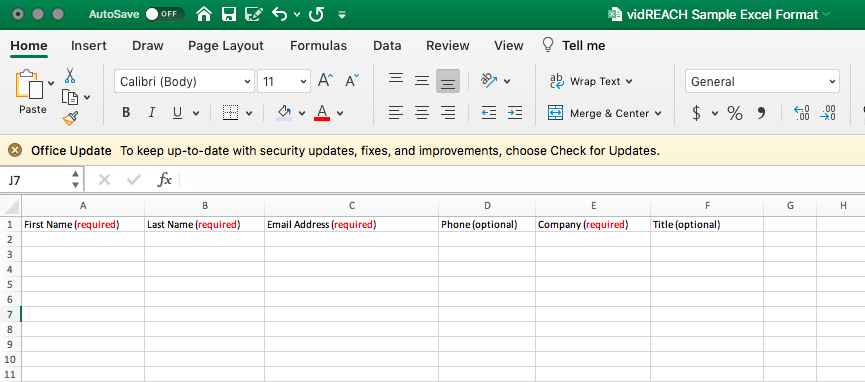
- There is missing information in a required field - make sure to have all Required fields in our Excel Format Sample filled out for reach contact. This includes first name, last name, email address and company name
- Make sure you are using the vidreach Excel Format Sample (screenshot below). This is the format your excel list will need to be in to be uploaded. It's important to note that if you change any formatting (font, color, font size etc.) on this format sample the list will not upload.