To ensure your videos are recorded with the highest quality; you need to ensure your Chrome settings are updated. See below for the steps to updating your settings.
When in Chrome:
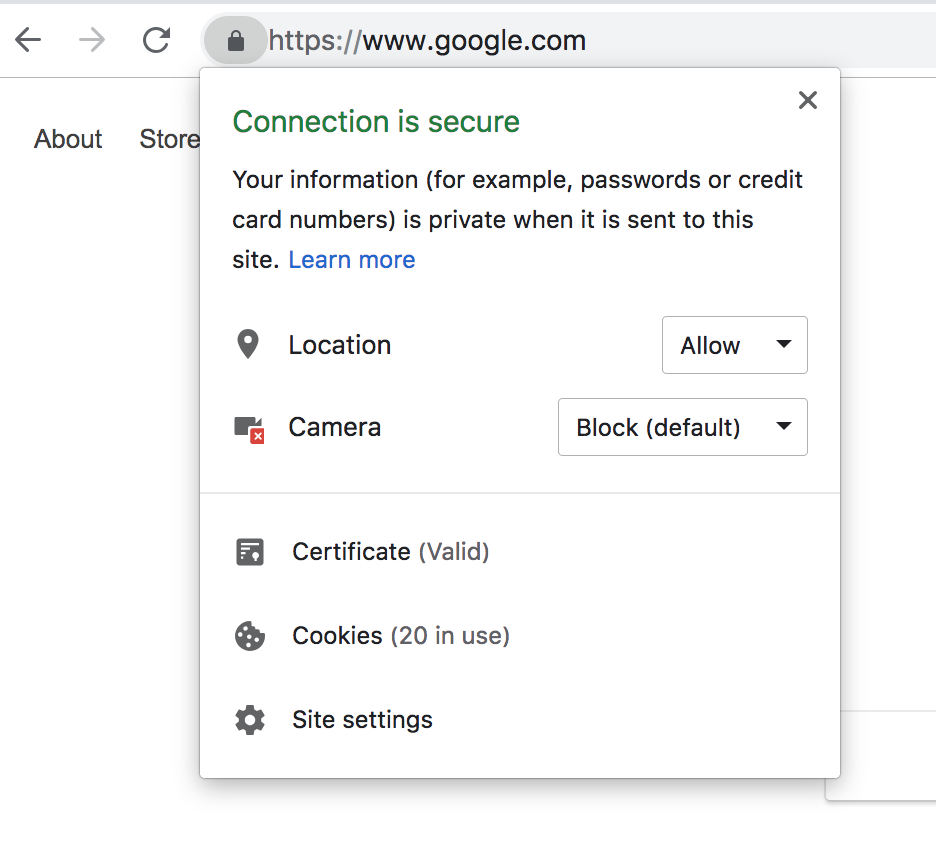
- Right Click on the lock
- Click Site Settings
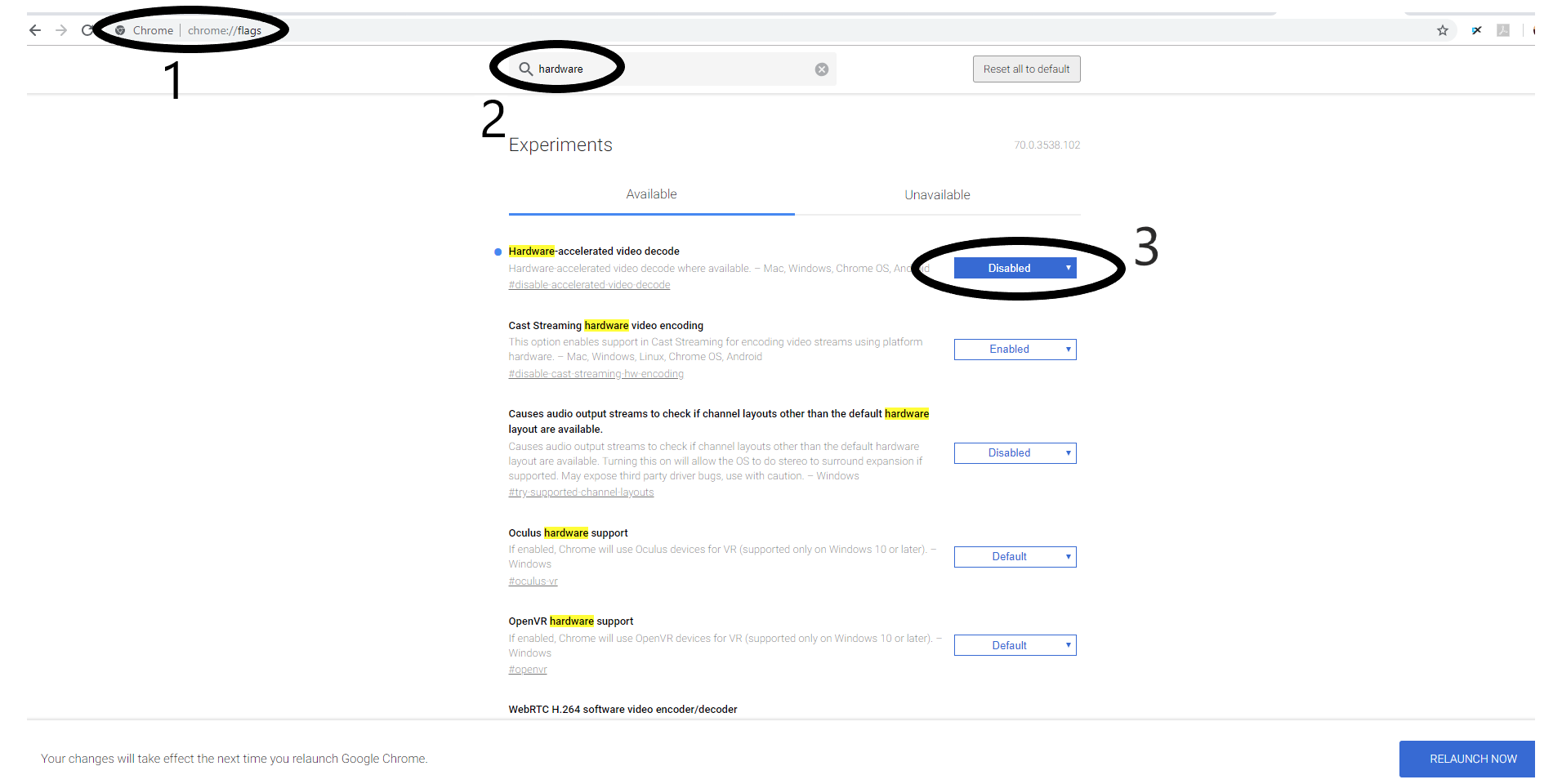
- Search for Hardware > Choose Hardware-accelerated video decode > DISABLE
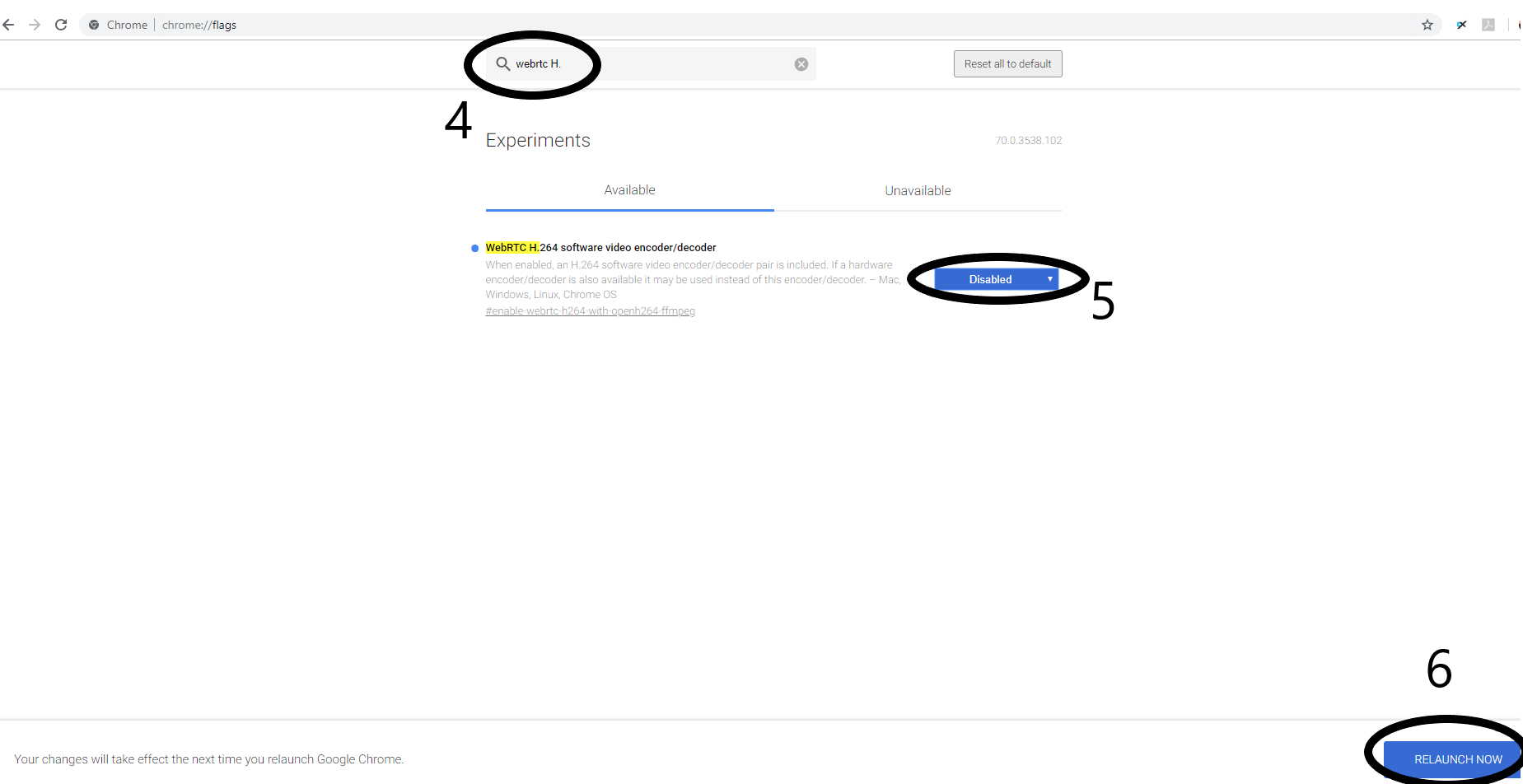
- Search for web rtc > Choose web rtc 264 software video encoder/decoder > DISABLE