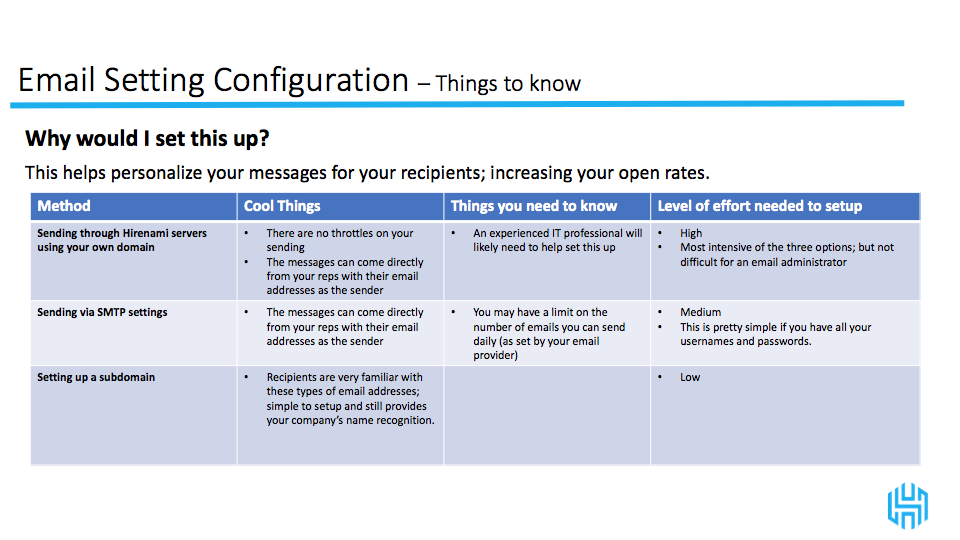
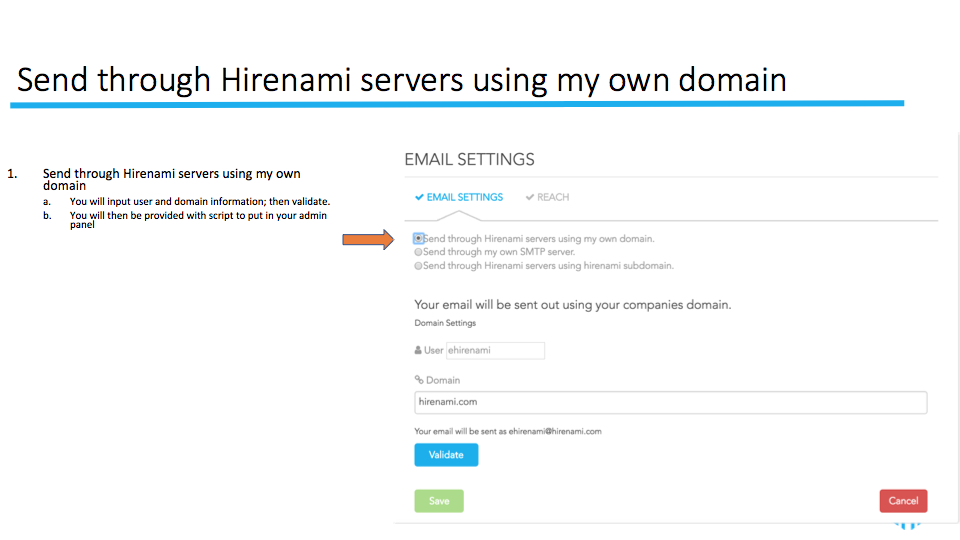
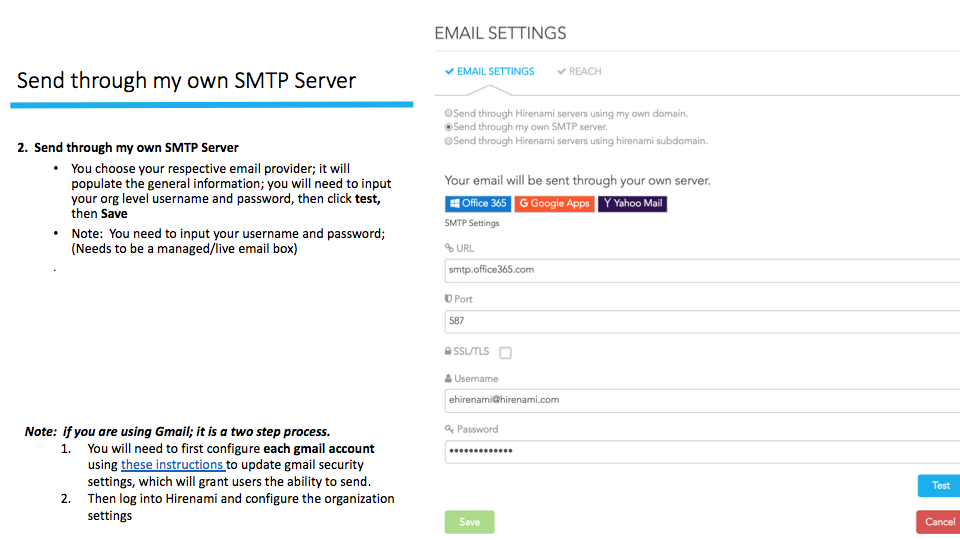
Hirenami offers three methods of email configurations:
1. Sending through Hirenami servers using your own domain
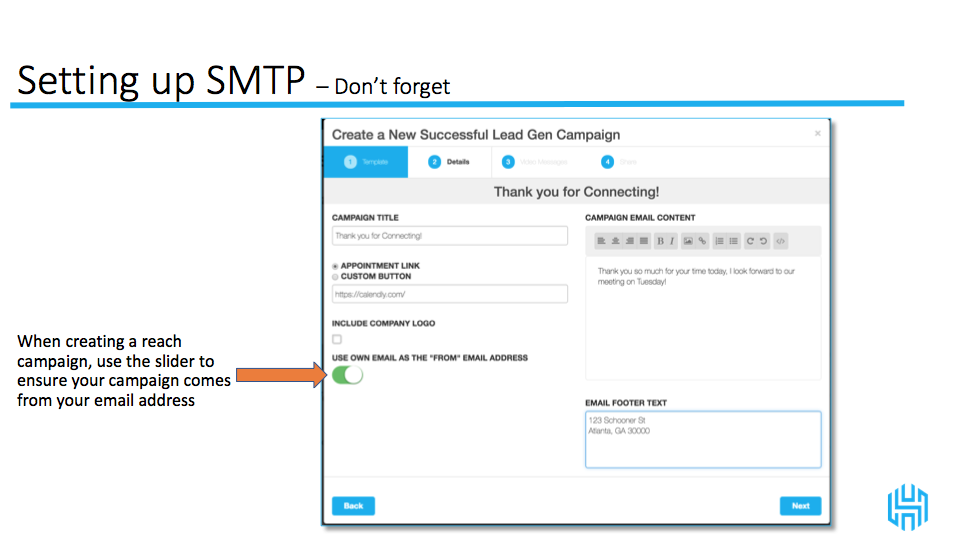
2. Sending via SMTP Settings
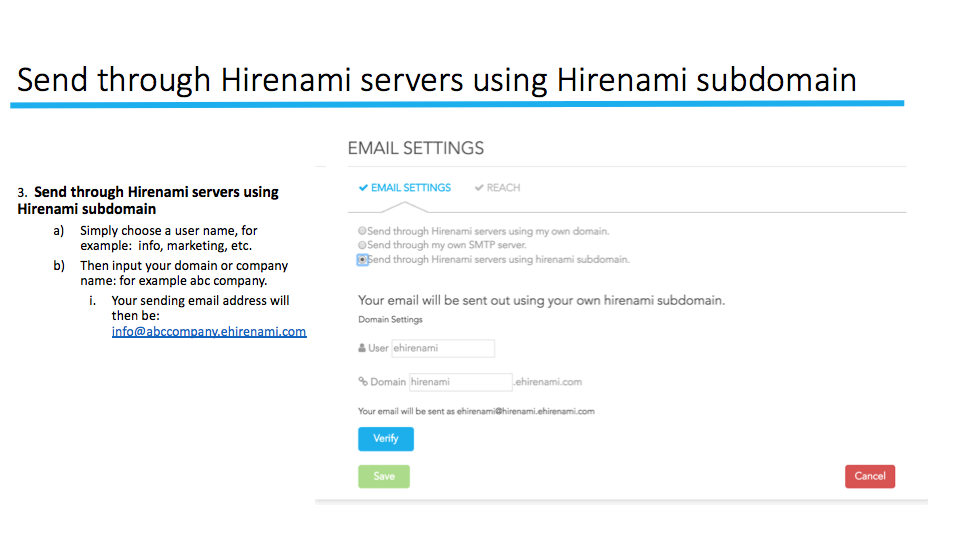
3. Sending through Hirenami servers using a subdomain.
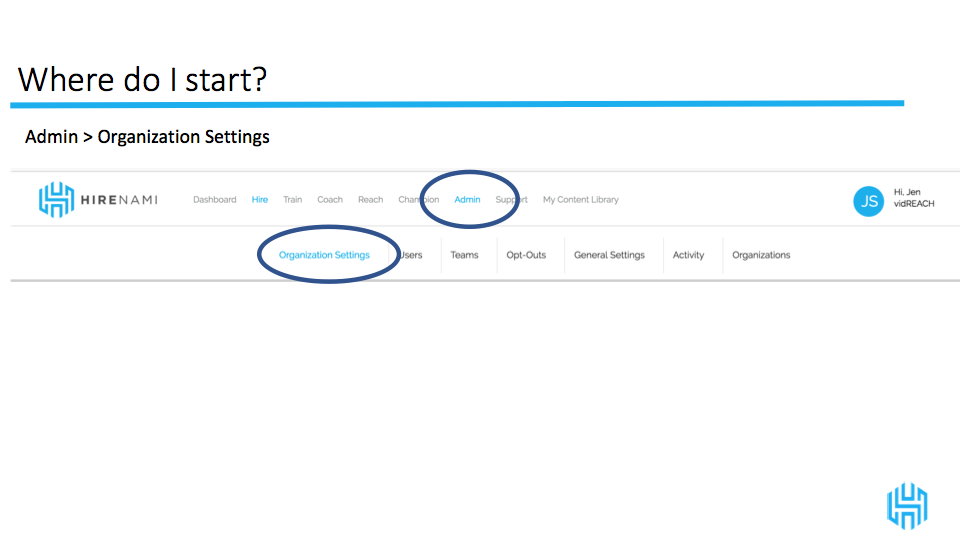
See below for more information on how to set this up.
If you choose sending through SMTP, and you have a firewall, you will need to whitelist the following IP Addresses:
-34.198.186.31
-52.71.101.54
-50.236.75.142
-52.70.117.136
If you are using Reach and want to use the "send as me"